The Notification Boundaries to Set Before a Quiet Evening
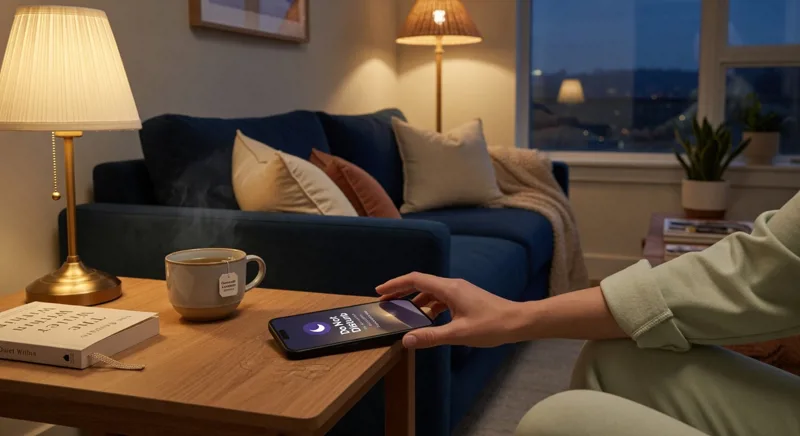
A quiet evening can disappear quickly under a stream of work messages, social alerts, shopping reminders, and breaking news. Setting clear notification boundaries before dinner or bedtime helps protect your attention, lower digital stress, and create room for genuine rest.
Why Notification Boundaries Matter
Notifications are designed to attract attention, even when the message is not urgent. Each vibration or banner can pull you away from a conversation, book, hobby, or relaxing routine. The result is often a fragmented evening and the feeling that you are always “on call.”
Notification boundaries create a simple distinction between urgent communication and information that can wait. They are not about ignoring people. They are about deciding when and how others can reach you.
Start With a Clear Quiet-Time Schedule
Choose a realistic start and end time for your quiet evening. For example, you might begin at 7:00 p.m. and return to normal notifications at 7:00 a.m. The schedule should support your lifestyle rather than create unnecessary pressure.
Consider separate schedules for weekdays and weekends. A shorter evening boundary may work on busy workdays, while a longer “digital sunset” may feel better on days off.
- Work notifications: Silence them when your working hours end.
- Social media alerts: Turn off likes, comments, live videos, and trending updates.
- Shopping notifications: Disable sales, delivery promotions, and abandoned-cart reminders.
- News alerts: Keep only genuinely essential emergency notifications.
- Email notifications: Set messages to arrive during a planned review period instead.
Decide Who Can Reach You
A quiet evening does not have to mean complete isolation. Most smartphones allow you to create an approved contact list for calls and messages. Include the people who may genuinely need you, such as household members, caregivers, or close family.
For everyone else, let calls go to voicemail and review them later. If your phone supports repeated-call exceptions, consider allowing a second call within a short period for potential emergencies. Use this feature carefully, since it can also allow persistent callers to interrupt your evening.
Use a Simple Contact Filter
Before enabling Do Not Disturb, ask yourself three questions:
- Who needs access to me tonight?
- What qualifies as urgent?
- What can safely wait until morning?
This prevents the common mistake of allowing every app or contact “just in case.” A smaller exception list usually creates a more peaceful result.
Choose Which Apps Deserve Access
People often focus on calls while overlooking app notifications. Yet a single social media alert, workplace chat, or news headline can restart the habit of checking the phone.
Allow only apps that support safety or essential coordination. Depending on your needs, that could include:
- Emergency and medical alert services
- Family communication apps
- Security and smart-home alerts
- Transportation updates for a scheduled journey
- Calendar reminders for important appointments
Silence entertainment, marketing, games, social networks, and nonessential productivity apps. You can still open them intentionally later instead of letting them interrupt you.
Set Up Do Not Disturb or Focus Mode
Modern phones make notification boundaries easier through built-in tools. On Android, Modes and Do Not Disturb settings let you select which people and apps can interrupt you, choose a duration, and create automatic schedules.[1]
On iPhone, Focus settings allow you to silence or permit notifications from selected people and apps. Options such as Personal, Sleep, Work, and Do Not Disturb can be customized for different parts of the day.[2]
For a quiet evening, create a dedicated mode rather than relying on a one-time switch. Give it a clear name, choose the start and end time, and review the exception list every few weeks.
Remember Visual Interruptions
Sound is only one part of the problem. Banners, lock-screen previews, badges, smartwatch taps, and laptop pop-ups can also break concentration. A stronger notification management plan may include:
- Turning off vibration for nonessential alerts
- Hiding message previews from the lock screen
- Removing red app badges
- Disabling notification mirroring on a smartwatch
- Closing work email and chat applications
Create a Household Communication Rule
If you live with other people, explain your quiet-time boundary before it begins. A short message can prevent confusion: “I’m winding down from 8 p.m. and will check messages tomorrow morning. Please call twice if something is urgent.”
Household rules can be even simpler. Decide whether urgent matters should involve a phone call, a text with a specific keyword, or an in-person conversation. Clear expectations reduce the fear that you might miss something important.
Build a Better Evening Routine
Notification boundaries work best when they are paired with a replacement habit. After activating Focus mode, place your phone away from the sofa or bedside table and choose an activity that does not require constant checking.
- Read a physical book
- Prepare tomorrow’s breakfast or clothing
- Take a walk or stretch gently
- Listen to calming music or a downloaded podcast
- Talk with family or friends without screens
- Write down unfinished tasks for tomorrow
If you keep reaching for your phone, make the boundary more practical: charge it outside the bedroom, use a traditional alarm clock, or place it in another room during dinner.
Review What Still Gets Through
After several evenings, notice which alerts interrupted you and whether they were truly necessary. Adjust your settings instead of abandoning the system. A useful boundary should feel protective, not restrictive.
Keep emergency access available when your circumstances require it, particularly if you are responsible for children, older relatives, medical care, or on-call duties. The goal is not total silence. It is intentional availability.
Conclusion
The notification boundaries to set before a quiet evening begin with a schedule, a carefully chosen contact list, and fewer app exceptions. Use Do Not Disturb or Focus mode, silence visual distractions, and tell the people around you how to reach you in an emergency. With a little preparation, your evening can become a protected space for rest rather than another shift of digital work.